Clock.poker runs the timer for your home game: blinds, breaks, payouts and chip counts on one screen, controlled from your phone. It is free, and you do not need an account — setting up a tournament takes about a minute.
1. Set up your tournament
Give it a name, then set your blind levels: small blind, big blind, ante, and how many minutes each level runs. Drop breaks in wherever you want them. Add your payouts, and your players with their buy-ins if you want the clock tracking chips and prize money. It all comes pre-filled with a sensible structure, so you can change the name and start playing.
2. Put the clock on a screen
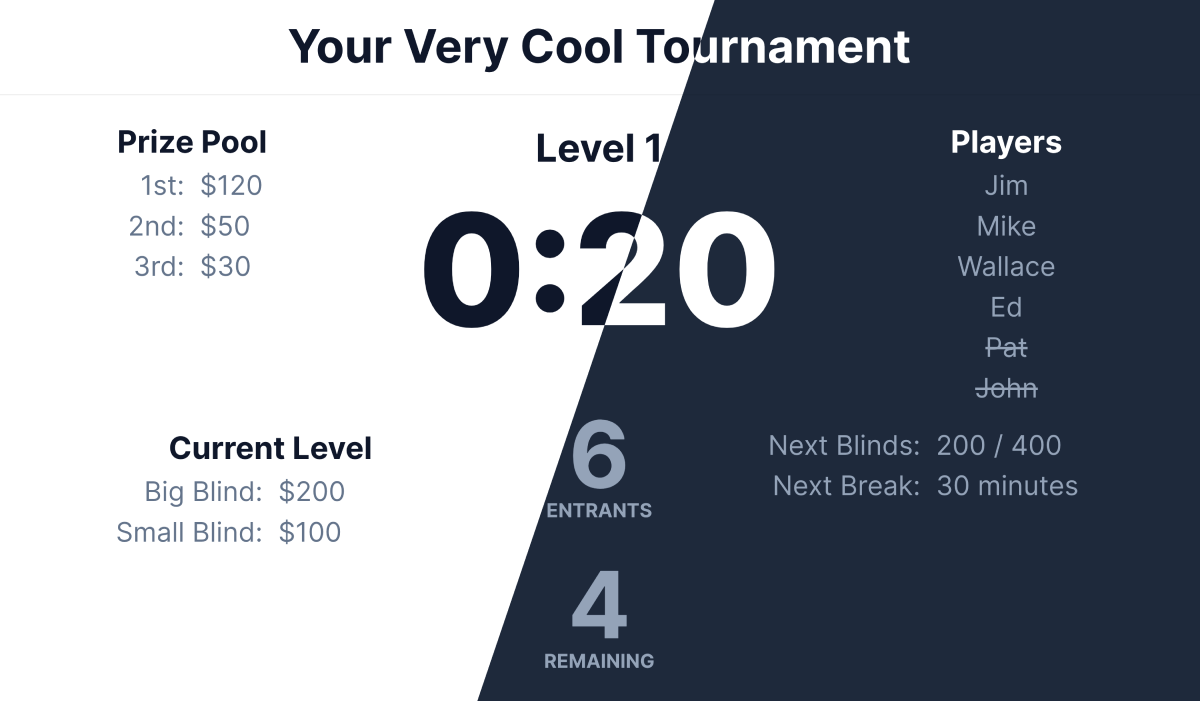
The clock view is built for a TV or a spare monitor. It shows the current level and blinds, time remaining, when the next break lands, how many players are still in, and total and average chips. Anyone with the link can watch it, on any device.
3. Run it from your phone
The remote is the same tournament on a phone-sized screen: start, pause and resume the timer, or jump forward and back a level when the table needs it. The clock picks up changes within a few seconds, so nobody has to touch the screen everyone is watching.
4. Share it with the table
Every tournament comes with two invite codes, each with its own QR code. The admin code lets someone else run the clock from their phone, so you are not the only one who can pause it. The viewer code is watch-only, for players who just want the blinds on their own screen.
What the clock shows
Current level and blinds, time left, the next break, players remaining, and total and average chip counts — sized to be readable from across the room.
Change things mid-game
Players show up late and levels run long. Edit blinds, payouts and players while the tournament is running.
Keep notes
Jot down who busted when, who owes what for a rebuy, or anything else worth remembering after the game.
Dark mode
Toggle the clock and the remote to dark. Easier on a projector, and on everyone at 2am.
Seating, too
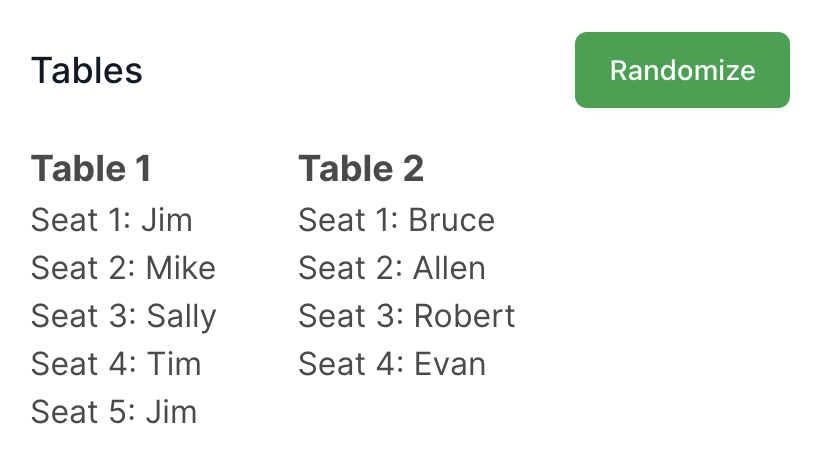
Running more than one table? The seat randomizer draws seats for you — from your tournament's player list, or from names you type in.